Practical performance advice for website owners
WordPress INP: Why Menus, Filters and Forms Feel Slow After the Page Loads
Need hands-on help? Request a Speed Review →
WordPress performance advice · Reviewed 3 November 2026
In this guide
A visitor taps your mobile menu and nothing seems to happen. They tap again, then the menu opens and closes. The page may already look fully loaded; the problem is responsiveness. Interaction to Next Paint, or INP, helps describe how quickly a page visually responds to user interactions.
A good field INP is 200 milliseconds or less at the 75th percentile. It measures responsiveness across the visit, so a clean initial page-load screenshot does not tell the whole story.
Find an interaction you can reproduce
Ask which action feels delayed and under what conditions. Useful examples include opening navigation, changing a product variation, filtering results, expanding a form step or adding a product to the cart. Repeat the action on a representative phone and during initial loading as well as afterwards.
If PageSpeed shows an INP field issue, confirm whether its data is URL-level or origin-level. A browser trace is useful for identifying the task behind a reproducible delay. It cannot prove that every real visitor has the same experience.
Separate feedback from the eventual server result
A button should acknowledge a click promptly even if a legitimate network operation takes longer. For example, submitting a quote can show an accessible pending state while the server validates it. The interface must then show success only after acceptance, and explain failures without losing the user’s work.
Do not improve apparent speed by displaying a false success message. Likewise, an asynchronous request does not eliminate all browser work: processing a large response and rebuilding a long results list can still delay the next frame.
Investigate what occupies the browser
- Startup scripts: builders, sliders and marketing tools may compete with early taps.
- Heavy event handlers: one interaction may run repeated calculations or modify many elements.
- Large page structures: updating a small part of a deeply nested page can trigger expensive rendering work.
- Repeated integrations: duplicate chat or tag installations can add work without providing another useful feature.
Use the trace to identify ownership before disabling anything. A script’s filename or transfer size alone does not establish its runtime cost. A small script can initiate substantial work, while a larger downloaded file may execute very little on the affected action.
Choose a change that preserves the task
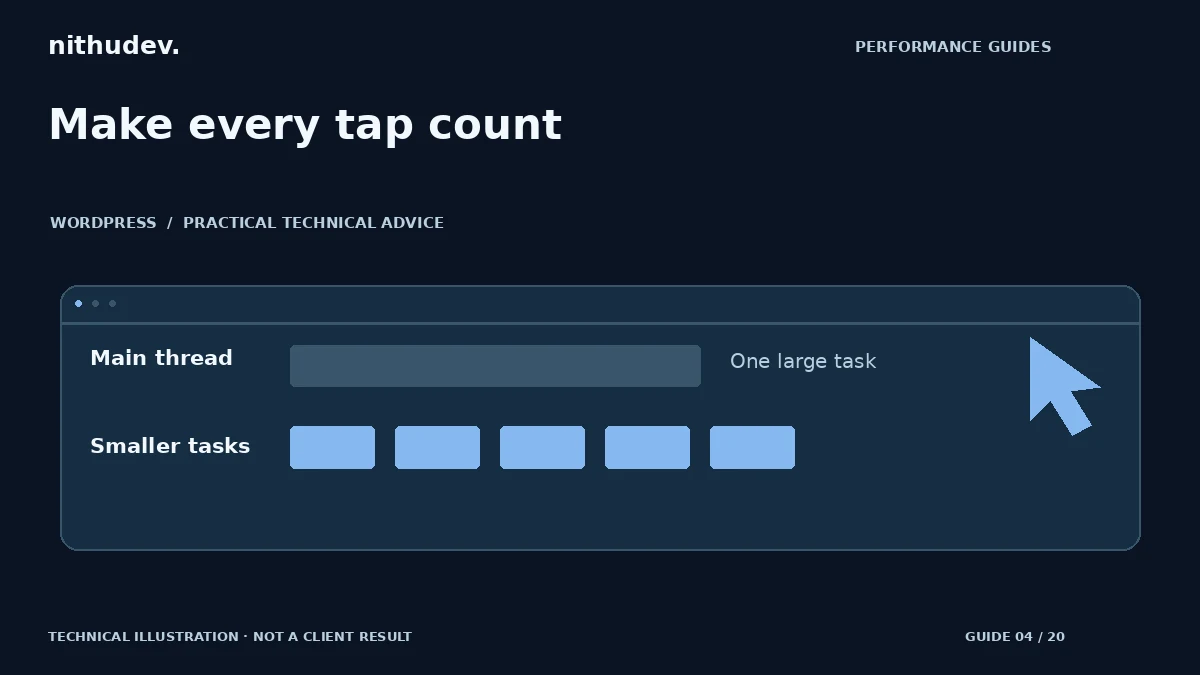
Possible improvements include loading a widget only on relevant pages, removing duplicated initialization, simplifying a filter interface or dividing custom JavaScript work into smaller tasks. Changes to custom code should respect the order in which the user expects results.
Do not delay payment, validation, consent or essential navigation scripts blindly. Test dependencies and failure states on staging. If a plugin owns the slow handler, an update, configuration change or supported vendor fix may be safer than patching its distributed files.
What a useful INP report should contain
Record the action, URL, browser, device profile and whether the page was still loading. Include the trace, likely cause, change and a repeat of the same action. Check keyboard interaction as well as taps. A menu that becomes fast but loses focus handling is an incomplete fix.
Lighthouse Total Blocking Time can help identify loading-time work, but it is not a replacement for measured field INP. Report each metric by its actual name. Continue reviewing real-user data when enough traffic is available.
Work directly with Nithu
Get help with your WordPress performance
Tell me which button or interaction feels slow. A focused review can identify whether the issue belongs to your theme, a plugin or an external integration.
Request a Speed ReviewCompare the $79, $179 and $349 one-time packages →
No payment is needed for an enquiry. Scope is confirmed before work; paid tools, hosting and out-of-scope development are separate unless agreed. No fixed score or ranking guarantee.
Technical references
Written for website owners planning performance work. Technical options depend on the installed versions, hosting and integrations. Test changes safely and retain a recovery path. The featured diagram is an original editorial illustration, not a measured result or customer case study.