Practical performance advice for website owners
Slow WooCommerce Checkout? Diagnose Requests Without Breaking Payments
Need hands-on help? Request a Speed Review →
WordPress performance advice · Reviewed 3 November 2026
In this guide
Your product pages open quickly, but customers wait after entering an address or choosing a payment method. Public-page caching may already be working well. Checkout follows a different path: it calculates totals, handles a session and communicates with shipping, tax, payment and other services.
Do not apply an aggressive “cache everything” rule to solve that delay. A fast page with stale totals or another visitor’s information is a serious failure.
Identify the checkout type and delayed action
Check whether the site uses the Checkout block, classic checkout or a supported custom template. Record the exact point where the delay starts: opening the page, changing an address, selecting shipping, loading payment options or placing an order.
Use the browser Network panel to inspect the corresponding request and response. Block-based flows and classic flows use different request patterns. A spinner alone does not tell you whether the cause is JavaScript, an HTTP error, a firewall block or slow server processing.
Separate local work from external waiting
On staging, compare the timing of address updates, totals calculations and payment initialization. Review relevant WooCommerce and gateway logs without exposing customer or payment data. Ask whether the slowdown started after a plugin update, new shipping provider or tracking change.
- A slow shipping quote needs a different investigation from a delayed payment SDK.
- A request rejected by a firewall will not be fixed by compressing product images.
- A JavaScript error can stop updates even when the server responds quickly.
- Repeated requests can make rapid changes feel inconsistent or unstable.
Preserve dynamic routes and sessions
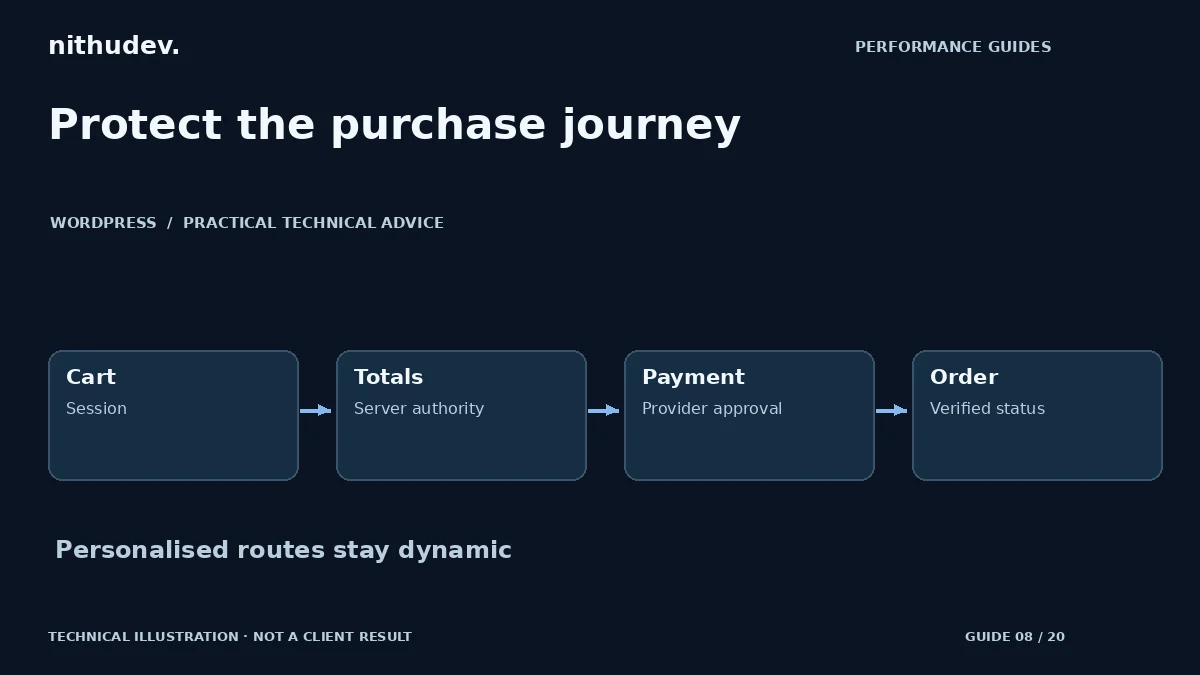
Review exclusions for Cart, Checkout and My Account at every cache layer. Check the host, optimization plugin, CDN and reverse proxy rather than assuming one plugin setting controls them all. WooCommerce cookies and session-sensitive requests must reach the intended dynamic handling.
Test with a fresh browser and an existing cart. Add a product, change quantity, apply a valid coupon if supported and verify the displayed total. The total used for payment must remain server-controlled. Do not accept a browser-provided amount or a success redirect as proof of payment.
Optimize scripts without hiding payment controls
Load unnecessary marketing widgets away from checkout where the business agrees, and remove duplicate installations. Keep consent behaviour intact. Exclude essential gateway, validation and checkout scripts from unsupported delay or combination settings.
If a gateway offers different payment methods by eligibility, test the methods available to that merchant and customer context. Do not promise every card or local method will appear everywhere. Preserve existing secure credentials and supported plugin settings.
Use a safe end-to-end acceptance test
- Confirm the intended product, currency, tax and total.
- Check guest and returning-customer behaviour.
- Use an authorised sandbox to test approval, cancellation and failure.
- Verify native order creation and the actual paid or unpaid status.
- Check capture or webhook handling, receipt and merchant notification.
When sandbox access is unavailable, report browser and unpaid-order checks separately from payment settlement. Never make an unauthorised live charge just to complete a test. On a busy or highly customised store, request a scoped assessment before buying a small fixed-price speed package.
Work directly with Nithu
Get help with your WordPress performance
If checkout is the slowest part of your store, tell me the delayed step and your checkout type. I can assess a suitable scope while protecting the existing payment flow.
Request a Speed ReviewCompare the $79, $179 and $349 one-time packages →
No payment is needed for an enquiry. Scope is confirmed before work; paid tools, hosting and out-of-scope development are separate unless agreed. No fixed score or ranking guarantee.
Technical references
Written for website owners planning performance work. Technical options depend on the installed versions, hosting and integrations. Test changes safely and retain a recovery path. The featured diagram is an original editorial illustration, not a measured result or customer case study.