Practical performance advice for website owners
WordPress Caching Explained: Page Cache, Object Cache, Browser Cache and CDN
Need hands-on help? Request a Speed Review →
WordPress performance advice · Reviewed 3 November 2026
In this guide
“Caching is enabled” is not a complete diagnosis. A browser can reuse an image while WordPress still rebuilds the page on every visit. A page cache can make public articles fast while logged-in administration remains slow. Understanding the layers helps you ask a host or developer the right question.
What each cache stores
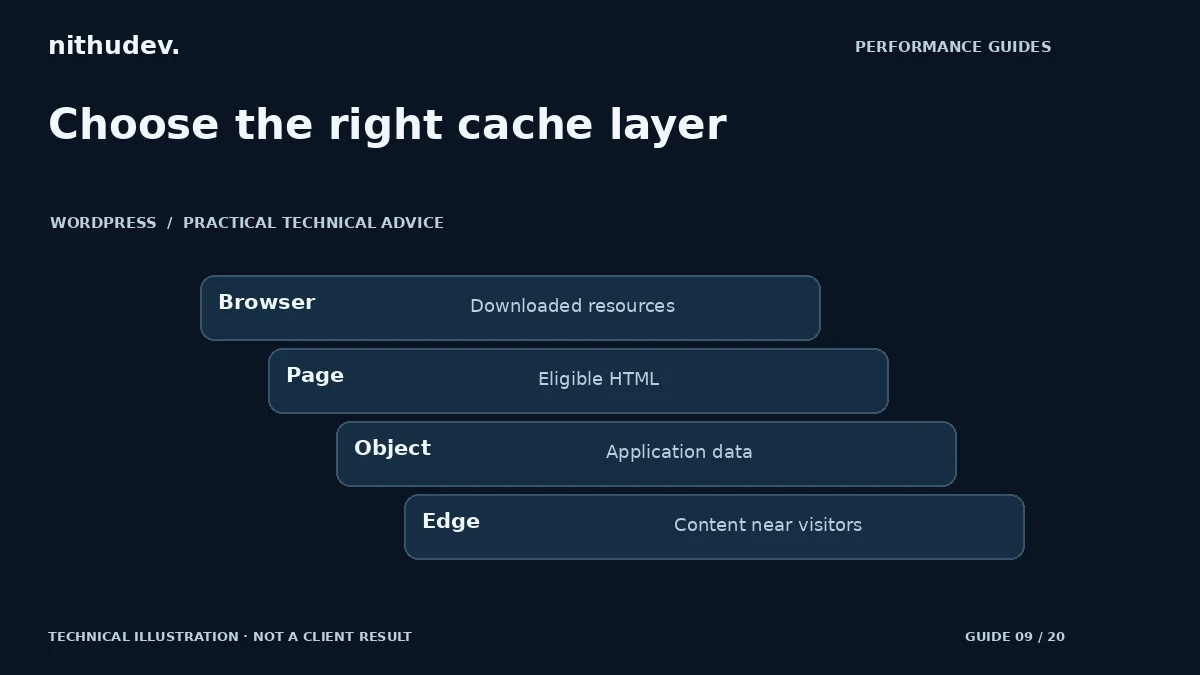
| Layer | What it reuses | Typical limit |
|---|---|---|
| Page cache | Generated HTML for an eligible request | Must respect personalisation and invalidation |
| Object cache | Reusable application data or query results | Needs a suitable persistent backend to survive requests |
| Browser cache | Resources already downloaded by that browser | Does not accelerate a first uncached download |
| CDN/edge cache | Eligible content near the visitor | HTML rules differ from ordinary static-asset delivery |
Test the request that matters
Open the affected URL in a clean session and inspect the document response headers. Repeat it and compare cache indicators provided by the actual platform. Header names differ, so use the host or CDN documentation rather than treating one vendor’s header as universal.
Then test an image or stylesheet separately. A static resource hit does not establish that the HTML came from page cache. Similarly, a query-string test URL may bypass normal caching and give an unrealistic picture of the ordinary visitor route.
Understand normal reasons for a miss
Logged-in users, carts, account pages, preview requests and forms with session requirements may deliberately bypass shared caching. New content may also miss immediately after publication or a purge. An occasional miss is not automatically a fault.
Repeated misses on an eligible public page are worth investigating. Check conflicting plugins, query parameters, cookies, response headers and the host’s policy. Avoid removing all cookies or stripping security headers merely to obtain a cache-hit label.
Give each layer a clear owner
Document which system handles page caching, compression, image transformation, CSS processing and script delay. Several tools can coexist, but overlapping optimization features complicate debugging. For example, if two tools rewrite JavaScript order, disabling one setting may not remove the other transformation.
A persistent object cache can help appropriate dynamic workloads, but it is not a universal substitute for page caching or database investigation. Confirm hosting support and monitor memory, failures and application behaviour. Do not enable a backend connection just because a plugin offers the switch.
Plan purging and personalised content
After a content or price change, check the public page, product listing and any related edge copy. Define which events purge which layers. Purging everything repeatedly can increase server work; never purging can leave stale content. The correct policy depends on the site’s update patterns.
Keep checkout, accounts and sensitive responses dynamic or protected by an explicitly supported private approach. Test two independent sessions to check that one visitor’s cart or account data never appears in another. Do not experiment with personalised caching on production without suitable expertise.
When another cache plugin is not the next step
If eligible pages already hit cache but the browser downloads excessive media or runs heavy scripts, work on those bottlenecks. If slow pages must remain dynamic, inspect their application and external-service work. A clear layer map can save money by showing why another plugin would not address the cause.
Work directly with Nithu
Get help with your WordPress performance
I can review your existing cache layers and recommend a coherent configuration, rather than adding overlapping tools without evidence.
Request a Speed ReviewCompare the $79, $179 and $349 one-time packages →
No payment is needed for an enquiry. Scope is confirmed before work; paid tools, hosting and out-of-scope development are separate unless agreed. No fixed score or ranking guarantee.
Technical references
Written for website owners planning performance work. Technical options depend on the installed versions, hosting and integrations. Test changes safely and retain a recovery path. The featured diagram is an original editorial illustration, not a measured result or customer case study.