Practical performance advice for website owners
Defer or Delay WordPress JavaScript? Improve Speed Without Breaking Buttons
Need hands-on help? Request a Speed Review →
WordPress performance advice · Reviewed 3 November 2026
In this guide
A performance plugin offers defer, delay, combine and minify settings. Turning them all on can improve a loading test while leaving the first menu tap, CAPTCHA or payment button unreliable. The safe approach is to understand what each script does and when it needs to run.
What the loading terms mean
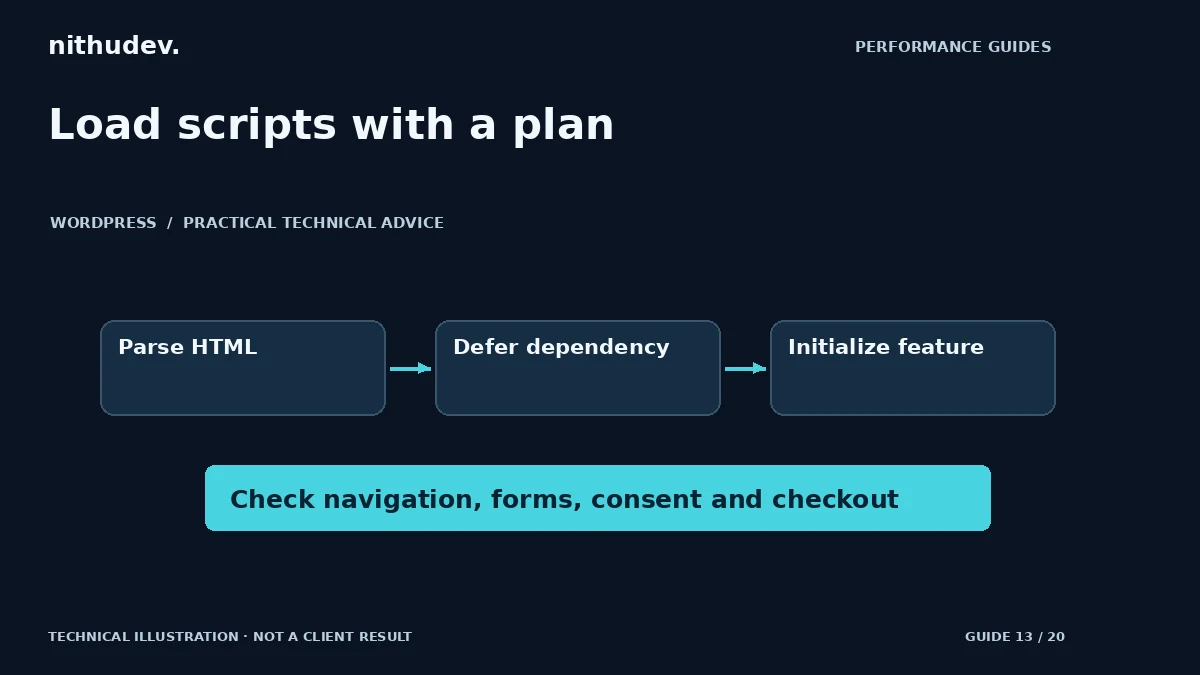
Defer generally lets a classic external script download while HTML parsing continues, then execute after parsing in the relevant order. Async allows execution when a script is ready, so order needs particular care. Plugin-level delay often postpones execution until interaction or another trigger; its exact behaviour depends on the tool.
These are not equivalent to removing unused functionality. A delayed script still has to run eventually, potentially at the moment a visitor tries to interact. Check the actual implementation instead of relying only on the option name.
Create a script ownership list
For the affected page, identify scripts owned by the theme, builder, form, commerce system and external services. Look for duplicate installations and scripts loaded on routes that do not use their features. Record which inline initialization blocks depend on which external files.
WordPress has supported script-loading strategies through its enqueue API, including dependency considerations. Prefer supported hooks and plugin configuration over editing distributed files. A vendor update should not overwrite the fix or leave an unexplained custom patch.
Protect the first interaction
Test navigation immediately after the page appears. Open a form, submit invalid input and then valid test data in a controlled environment. If a script initializes only after the first tap, the user may need to tap twice or may see a delayed layout change.
Payment SDKs, booking logic, consent management and anti-spam checks need particular care. Do not make the page appear successful before the server confirms the relevant action. A loading improvement should preserve security validation and correct order totals.
Test one class of change at a time
- Save the current settings and create a rollback point.
- Remove unnecessary duplication where ownership is clear.
- Test a supported loading strategy for a specific resource group.
- Clear the relevant caches and verify the final HTML.
- Repeat the original interaction and check the console and network requests.
Do not combine a plugin replacement, CSS rewrite and script-delay change into one untraceable experiment. When a problem appears, you need to know which change introduced it. Keep exclusions with a short explanation, not a list copied from another website.
Check the whole lifecycle
Test cold visits, back navigation, mobile, keyboard use and dynamically revealed content. A booking modal or validation error may need code that is not used in the initial screenshot. Test with both accepted and declined consent states where the site’s consent system supports them.
If a script remains expensive when it runs, delayed loading may only move the problem. Consider reducing the work, loading it on fewer routes or replacing the feature with the owner’s agreement. Use evidence from performance traces and user tasks to decide.
Define completion correctly
A useful handover records the scripts changed, essential exclusions, actual measurements and tasks retested. It should also explain anything intentionally left unchanged. A blanket promise that every JavaScript file can be delayed safely is a warning sign.
Work directly with Nithu
Get help with your WordPress performance
If a speed setting has broken a button or form, I can investigate the dependency and loading sequence rather than adding another broad workaround.
Request a Speed ReviewCompare the $79, $179 and $349 one-time packages →
No payment is needed for an enquiry. Scope is confirmed before work; paid tools, hosting and out-of-scope development are separate unless agreed. No fixed score or ranking guarantee.
Technical references
Written for website owners planning performance work. Technical options depend on the installed versions, hosting and integrations. Test changes safely and retain a recovery path. The featured diagram is an original editorial illustration, not a measured result or customer case study.