Practical performance advice for website owners
LiteSpeed Cache or WP Rocket? Choose Around Your Hosting and Website
Need hands-on help? Request a Speed Review →
WordPress performance advice · Reviewed 3 November 2026
In this guide
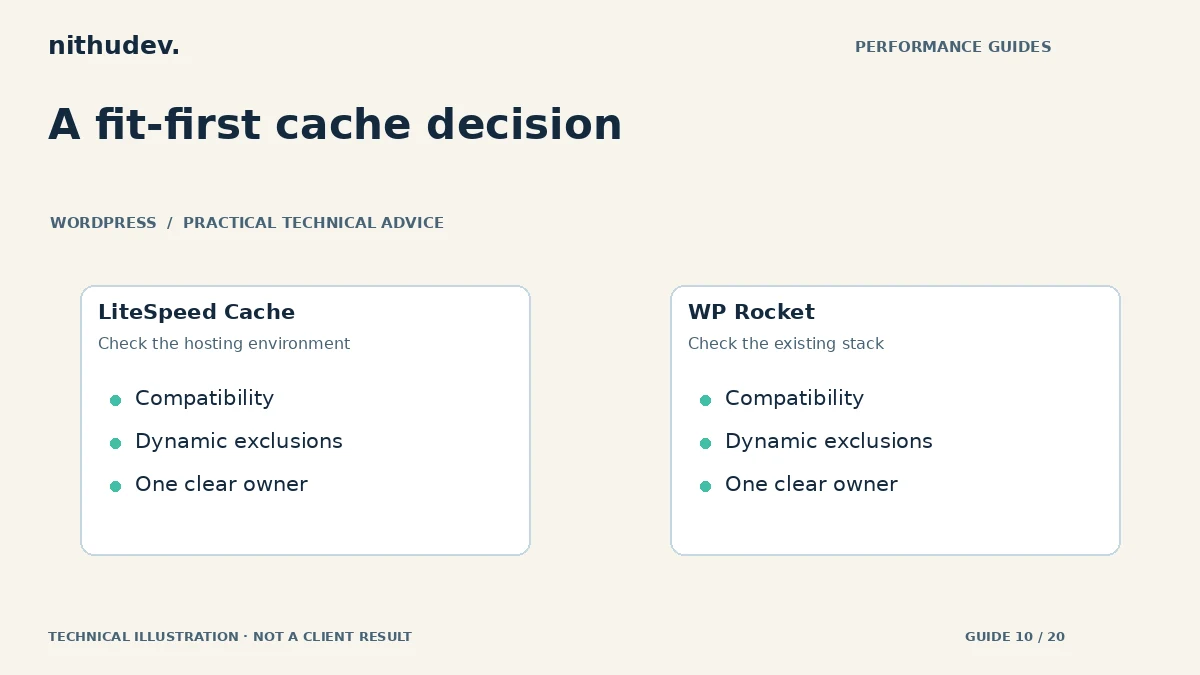
The wrong way to choose a cache plugin is to compare two screenshots from unrelated websites. The right question is which tool fits your server, current optimization stack, budget and dynamic features. A paid plugin is not automatically better; a free plugin is not automatically sufficient.
Ask your host what is already running
Confirm the web server, host-managed page cache, CDN and persistent object-cache options. Ask whether the provider supports a particular plugin and which functions it already handles. Some managed hosts restrict overlapping page caching or provide their own integration.
LiteSpeed distinguishes its page-caching features from its other optimization features. The former require an appropriate LiteSpeed cache environment or a supported service arrangement; simply installing the plugin on any server does not establish that page caching is active.
Compare responsibilities, not checkbox counts
| Decision | What to establish |
|---|---|
| Hosting compatibility | Which cache engine is available and supported? |
| Dynamic exclusions | How will checkout, accounts, booking and forms be protected? |
| Asset processing | Which single tool controls CSS and JavaScript changes? |
| Costs | What licensing or external-service fees apply to this setup? |
| Maintenance | Who checks updates, purging and regressions? |
Keep an existing working setup unless there is a reason to change
If your current plugin reliably caches eligible pages and preserves the purchase journey, first investigate the remaining bottleneck. A large image, slow external API or expensive custom query may require work outside the cache tool. Switching plugins can introduce risk without addressing it.
WP Rocket provides cache exclusion controls and documented handling for supported commerce flows. Confirm the current behaviour of your actual plugin version and hosting environment. Settings, licensing and compatibility can change, so verify them before purchasing or promising a feature.
Run a controlled staging comparison
- Save the existing configuration and a restorable backup.
- Record the current public, logged-in and checkout behaviour.
- Disable overlapping processing before testing the alternative.
- Start with basic compatible caching, then evaluate one asset feature at a time.
- Compare several identical test runs and the complete customer journey.
Measure the route customers use, including a cold visit where appropriate. A repeat visit with everything already cached can make two very different configurations appear equally quick. Keep notes on cache hits, server response, loading and interaction behaviour.
Do not import an aggressive preset blindly
A preset cannot know every custom script, form or personalised widget on your site. Delayed JavaScript, unused CSS processing and object-cache settings deserve individual checks. Keep a list of exclusions with reasons so future maintainers understand why they exist.
After a change, verify navigation, form validation, booking, cart totals and payment buttons. Check public content updates after a purge. If an option causes a regression, roll it back and investigate instead of stacking another workaround on top.
What a sensible recommendation looks like
A useful recommendation names the chosen tool, hosting assumptions, configuration responsibilities, expected scope and tests. It does not promise a universal score or claim one plugin always wins. Existing licences can often be used if they are appropriate, reducing unnecessary spending.
Work directly with Nithu
Get help with your WordPress performance
Tell me your hosting provider and existing performance tools. I can assess whether configuration work or a change of tool is actually justified.
Request a Speed ReviewCompare the $79, $179 and $349 one-time packages →
No payment is needed for an enquiry. Scope is confirmed before work; paid tools, hosting and out-of-scope development are separate unless agreed. No fixed score or ranking guarantee.
Technical references
Written for website owners planning performance work. Technical options depend on the installed versions, hosting and integrations. Test changes safely and retain a recovery path. The featured diagram is an original editorial illustration, not a measured result or customer case study.