Practical performance advice for website owners
WordPress CLS Fixes: Stop Images, Fonts and Banners Moving Your Content
Need hands-on help? Request a Speed Review →
WordPress performance advice · Reviewed 3 November 2026
In this guide
You are about to tap “Request a Quote” when a late banner pushes it down and another link takes its place. This is more than a visual annoyance: unexpected movement can interrupt reading and cause incorrect taps. Cumulative Layout Shift, or CLS, measures visual instability.
The good CLS target is 0.1 or less at the 75th percentile of visits. CLS is a unitless score, not a time in seconds. The practical aim is a predictable layout, especially around important reading and interaction areas.
Watch where the movement starts
Record the page loading, then scroll and use it. Open embedded content, wait for advertising or chat interfaces and test delayed notices. In browser developer tools, inspect layout-shift records to see which elements moved and what appeared just before the movement.
The element that moves is not always the cause. A paragraph may shift because an image above it had no reserved height. Fix the inserted or resized content rather than adding arbitrary spacing to everything below it.
Give images and embeds a predictable footprint
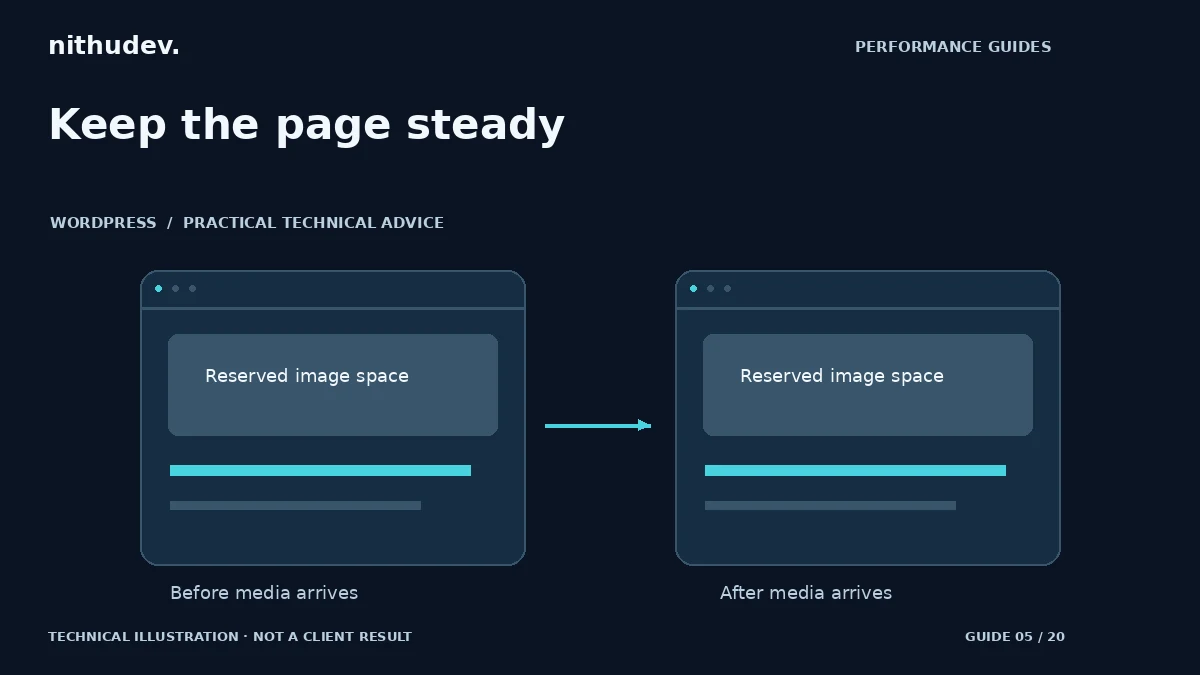
Provide meaningful image dimensions and responsive CSS that preserves the intended aspect ratio. Set a stable container for videos, maps and other embedded media. Check the mobile crop rather than assuming a desktop ratio will work everywhere.
A placeholder should resemble the final component’s space. If a review embed grows from a small line into a tall carousel, its initial placeholder is not doing enough. Consider a bounded presentation or a user-initiated embed when appropriate. Do not hide genuine content merely to improve a lab measurement.
Check fonts and late styling
A fallback font and a downloaded brand font can occupy different widths and heights. When the new face arrives, a heading may wrap onto another line and push the page down. Review font weights, fallback metrics and loading behaviour with the actual text used on the site.
Also inspect styles added late by optimization settings. Generating or delaying CSS incorrectly can show an unstyled layout before the finished one. A “remove unused CSS” feature needs testing on menus, form errors, popups and responsive states, not just the default desktop screenshot.
Handle banners without moving the target
Cookie notices, promotions and account messages should have a deliberate placement. Avoid inserting an unexpected block above content after someone has begun interacting. An overlay avoids one type of shift but can create an accessibility or usability problem if it covers controls, so evaluate the whole experience.
Keep the primary CTA reachable and check focus order. A sticky WhatsApp bar should not obscure form fields or the footer. On a phone, test with the software keyboard open and with the browser’s text size increased.
Test longer than the first load
- Load a clean session with the network conditions recorded.
- Scroll through media, reviews and other deferred sections.
- Open navigation and relevant interactive states.
- Wait for external widgets and notices.
- Repeat on another viewport and after clearing the appropriate cache.
Field CLS can differ from an initial Lighthouse run because visitors spend longer on the page and trigger more states. When a shift remains, identify whether it occurs during a user-expected transition or is an unrelated surprise. Preserve useful interactions while fixing accidental movement.
Work directly with Nithu
Get help with your WordPress performance
If your content jumps while visitors read or tap, request a review of the moving components and the layouts they affect.
Request a Speed ReviewCompare the $79, $179 and $349 one-time packages →
No payment is needed for an enquiry. Scope is confirmed before work; paid tools, hosting and out-of-scope development are separate unless agreed. No fixed score or ranking guarantee.
Technical references
Written for website owners planning performance work. Technical options depend on the installed versions, hosting and integrations. Test changes safely and retain a recovery path. The featured diagram is an original editorial illustration, not a measured result or customer case study.