Practical performance advice for website owners
Fix WordPress LCP: Find What Delays Your Largest Visible Content
Need hands-on help? Request a Speed Review →
WordPress performance advice · Reviewed 3 November 2026
In this guide
You compress the homepage photo, but Largest Contentful Paint barely changes. That can happen because the image file was not the main bottleneck. It might be discovered late, held behind JavaScript or unable to render until styles arrive. Sometimes the largest element is a heading, not an image.
Google’s good LCP target is 2.5 seconds or less at the 75th percentile of visits. Treat this as a user-experience target, not a score guarantee for every device and connection.
Confirm the LCP element on the affected template
Inspect the PageSpeed diagnosis or a browser performance recording and locate the element identified as LCP. Repeat for mobile and desktop: cropping and layout can change which element matters. On a product page, it may be the product photo; on a service page, it may be a text block.
Do not assume that the visually largest desktop banner is the element responsible for mobile results. Record the element, resource URL if present, test conditions and date before making changes.
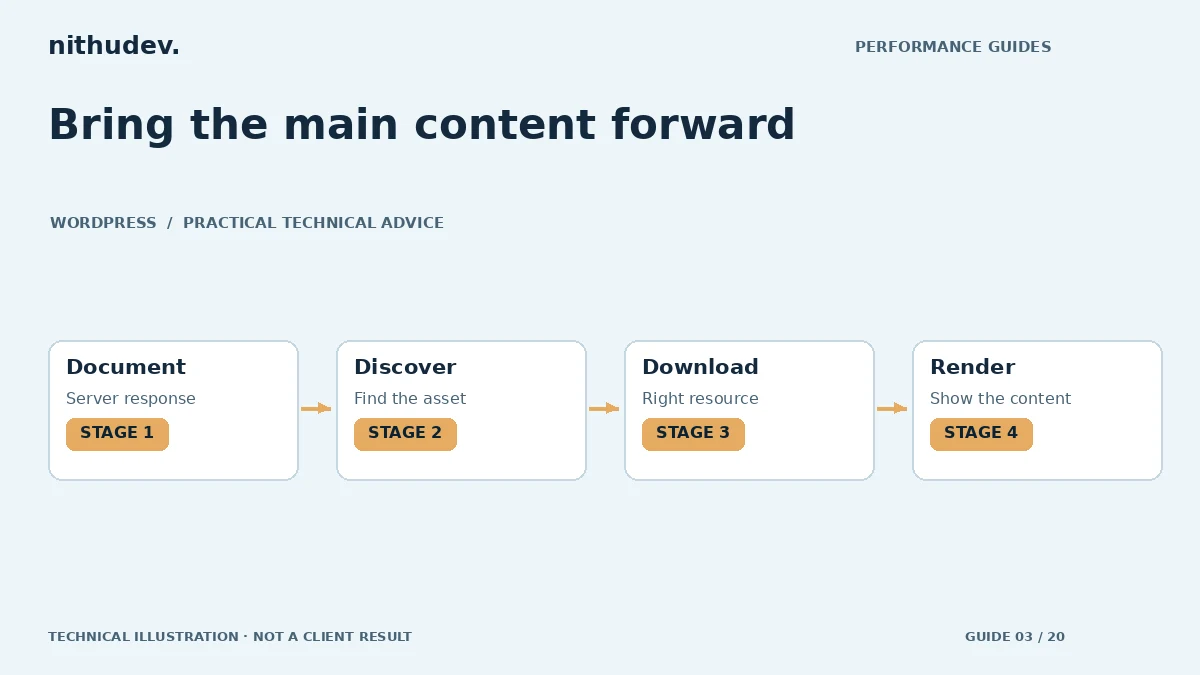
Follow the waiting time in order
- Document response: if the browser waits for HTML, inspect redirects, cache hits and server processing.
- Resource discovery: if the image request begins late, check CSS backgrounds, sliders and script-inserted content.
- Download: compare the file delivered with its actual display dimensions and connection conditions.
- Rendering: inspect styles, fonts, animations and browser tasks that delay showing already downloaded content.
This sequence prevents wasted effort. Converting a late-discovered background to a sensible image element may matter more than a small additional reduction in its bytes. If the server is consistently slow, image work alone cannot remove that initial wait.
Give the important asset appropriate treatment
For an image-based hero, make the correct responsive resource discoverable early. Check the final HTML and browser Network panel, including any changes made by the theme, builder and optimization plugin. Avoid lazy loading the actual above-the-fold LCP image.
A fetch-priority hint can help the browser distinguish a genuinely important resource. It is not a reason to mark every image high priority. Similarly, add a preload only after proving that discovery is late and that the hint matches the resource actually used. A mismatched responsive preload can create a duplicate download.
Look beyond the picture
If the LCP element is text, a web-font dependency or an entrance effect may hold it back. If content starts at opacity zero until a script runs, make sure the enhancement is necessary and fails safely. Critical service information should remain visible when JavaScript fails.
For Elementor or another builder, inspect current performance settings and generated output instead of copying an old list of switches. Version-specific features may have moved or become automatic. Test one setting on staging and verify both editor behaviour and the public page.
Verify improvement without breaking the design
Use the same viewport and testing method for several runs. Check image sharpness, mobile crops, headline wrapping and the position of the CTA. Test the next task as well: an earlier hero is not a successful fix if the form or checkout breaks.
Save a short before-and-after explanation identifying the changed bottleneck. Distinguish an immediate lab result from field data, which reflects a rolling collection period. A screenshot of a green score without the URL, date and device is weak evidence.
Work directly with Nithu
Get help with your WordPress performance
Share the affected URL and its mobile or desktop LCP report. I can investigate the delay and recommend fixes within an agreed page scope.
Request a Speed ReviewCompare the $79, $179 and $349 one-time packages →
No payment is needed for an enquiry. Scope is confirmed before work; paid tools, hosting and out-of-scope development are separate unless agreed. No fixed score or ranking guarantee.
Technical references
Written for website owners planning performance work. Technical options depend on the installed versions, hosting and integrations. Test changes safely and retain a recovery path. The featured diagram is an original editorial illustration, not a measured result or customer case study.