Practical performance advice for website owners
PageSpeed Says Fast, Search Console Says Slow: Understanding WordPress Lab and Field Data
Need hands-on help? Request a Speed Review →
WordPress performance advice · Reviewed 3 November 2026
In this guide
You improve a page, rerun Lighthouse and see a much better result. Search Console still lists a Core Web Vitals issue. This does not automatically mean the work failed or that either tool is wrong. First check what each report measures, which visitors it represents and when its data was collected.
Identify the two types of evidence
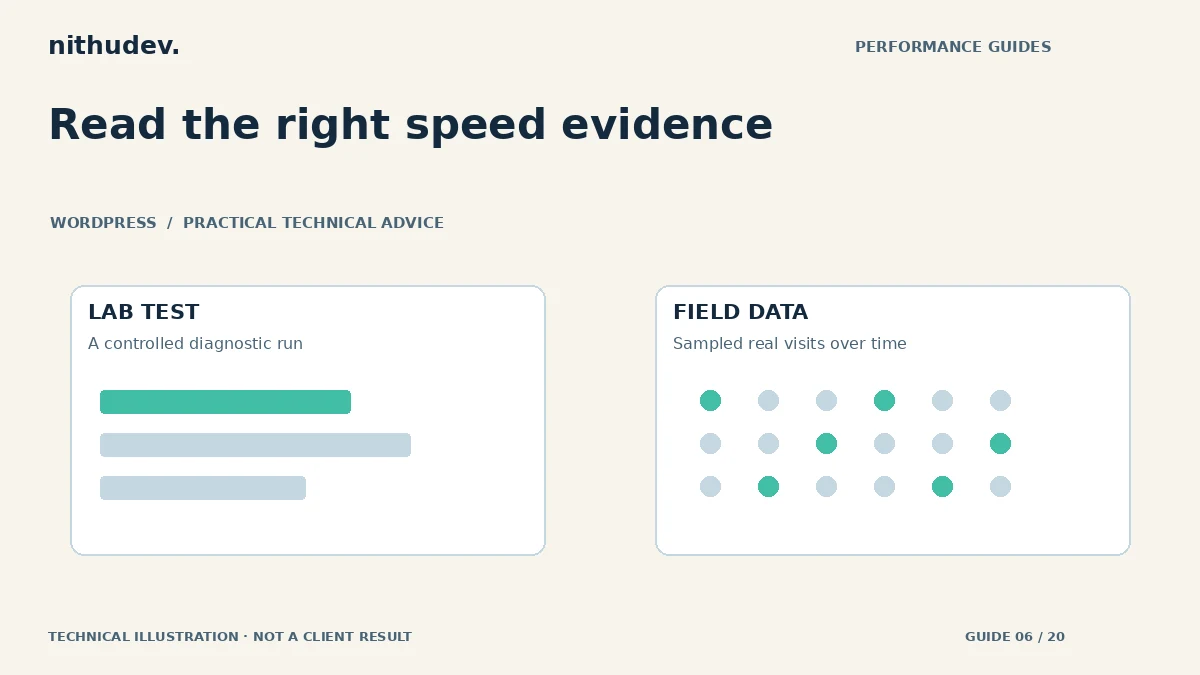
A lab test runs under chosen conditions and produces a repeatable diagnostic record. It can reveal a late image, blocking script or layout problem without waiting for enough public traffic. Its device, network, test location and server state affect the result.
PageSpeed’s field section uses Chrome User Experience Report data from a previous 28-day collection period. It may describe the exact URL, fall back to the origin or show insufficient data. Read that coverage label before interpreting the figures as evidence for one page.
Why the reports can disagree
- The change is recent, but field data still includes earlier visits.
- Your test uses a different connection or device from many customers.
- Real visitors interact with filters, widgets and forms after the initial load.
- The report describes an origin or page group rather than just the improved URL.
- A personal browser session uses a warm cache while new visitors encounter a cold path.
A quiet website can also lack sufficient samples. “No data” is not a pass or a failure. It means the available dataset cannot establish the requested assessment. Do not fill that gap with a fabricated real-user score.
Keep a small measurement log
For each lab run, save the URL, date, tool version, mobile or desktop profile, cache/visitor state and relevant metrics. Run several samples using the same method. If server response varies considerably, report that variation rather than selecting only the most flattering result.
Record LCP, CLS and loading diagnostics separately from the overall performance score. For responsiveness, reproduce real interactions. Total Blocking Time is a useful lab signal, but it should not be labelled field INP. A score is a summary, not a diagnosis or an assurance that checkout works.
Use Search Console as a follow-up, not an instant verdict
Inspect the reported group and sample URLs, and check whether the issue matches the template you changed. Keep the date of deployment beside subsequent reports. Review the available collection window before expecting older experiences to disappear.
Do not repeatedly change stable settings just because the field report has not caught up. Instead, confirm that the fix is served publicly, the relevant cache has been purged and representative users receive the intended assets. Then monitor the available data over time.
What to ask for in a professional report
Request comparable before-and-after runs, the actual technical changes, functionality tests and a clear statement of remaining limitations. A useful report may say that the lab improved while field confirmation is pending. That is more credible than claiming a real-user pass from a single test.
For business evaluation, combine performance evidence with successful enquiry and verified purchase data. A ranking change or higher conversion rate requires its own measurement and context. Neither can be inferred from a green Lighthouse circle alone.
Work directly with Nithu
Get help with your WordPress performance
If your reports appear to disagree, send their URLs or exported results. I can help separate measurement coverage from a technical problem that still needs work.
Request a Speed ReviewCompare the $79, $179 and $349 one-time packages →
No payment is needed for an enquiry. Scope is confirmed before work; paid tools, hosting and out-of-scope development are separate unless agreed. No fixed score or ranking guarantee.
Technical references
Written for website owners planning performance work. Technical options depend on the installed versions, hosting and integrations. Test changes safely and retain a recovery path. The featured diagram is an original editorial illustration, not a measured result or customer case study.