Practical performance advice for website owners
WordPress Looks Broken After Clearing Cache? Check Generated CSS and JavaScript
Need hands-on help? Request a Speed Review →
WordPress performance advice · Reviewed 3 November 2026
In this guide
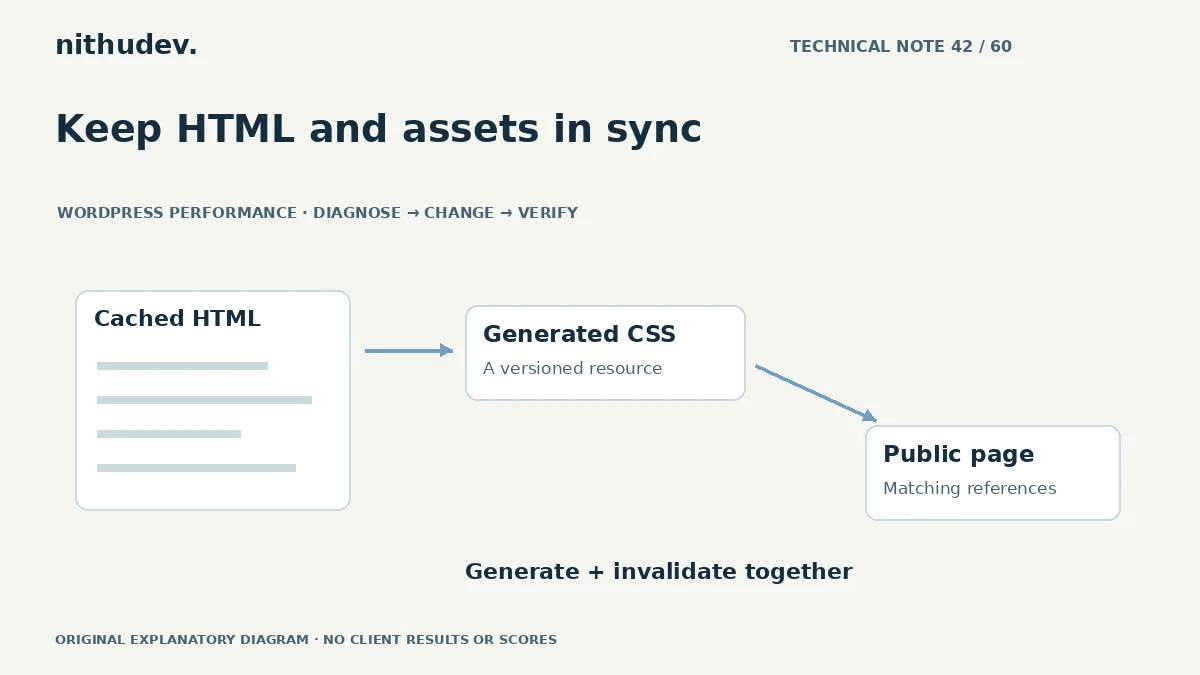
You clear a performance cache and the page loses its design. Another visitor sees the old page, while your browser looks normal. This can happen when HTML and generated CSS or JavaScript no longer refer to the same release.
Inspect one broken page before purging again
Record the URL, visitor state and time. Open the browser Network panel and check failed CSS or script requests, including their exact paths and status codes. Save the relevant response headers.
A missing generated file is a different problem from a valid file containing outdated rules. Repeatedly clearing every layer can erase useful evidence and increase rebuilding work.
Map the generation and cache chain
Identify which system builds assets and which systems store HTML or files. The page builder, performance plugin, host and CDN may each have a role. Establish the intended ownership before changing settings.
A typical failure is old cached HTML referencing a file that cleanup has removed. Another is newly generated HTML reaching visitors before the corresponding asset is available. The fix needs coordination between those parts.
Use the supported recovery sequence
- Confirm the asset generator completed successfully.
- Check filesystem or service errors with appropriate access.
- Regenerate the affected assets using the supported tool.
- Invalidate HTML and delivery layers that reference obsolete files.
- Verify the public page in a clean session.
The exact sequence depends on the builder and host. Do not manually delete arbitrary folders or recursively loosen permissions to make an error disappear. Restore the agreed previous configuration if a new optimization caused the problem.
Compare clean and returning visitors
Test a browser without the site’s existing local cache and one that visited before the change. Check mobile as well as desktop. If a service worker is active, it may introduce another delivery layer that needs separate investigation.
Test ordinary URLs rather than adding random parameters to every request. Some parameters change cache behaviour, so a successful diagnostic URL may not represent the normal public route.
Prevent the mismatch on future releases
Keep generated assets available for the period in which old HTML may still reference them, where the tool supports that approach. Use deliberate versioning and coordinated invalidation. Document how template changes and plugin updates trigger regeneration.
Avoid overlapping minification or CSS-removal systems. One component should have clear responsibility for each transformation, with a recovery method the next maintainer can follow.
Verify more than visual appearance
Check navigation, form errors, script-dependent features and relevant checkout controls. Confirm the page’s canonical and important content remain correct. Record the missing or stale resource and how it was resolved.
For a live business site, the immediate goal is a stable public page. Further speed experiments should wait until the working state and rollback path are clear.
Work directly with Nithu
Get help with your WordPress performance
Send the affected URL and any failed asset paths. I can trace the generator and cache layers while protecting the existing page and integrations.
Request a Speed ReviewCompare the $79, $179 and $349 one-time packages →
No payment is needed for an enquiry. Scope is confirmed before work; paid tools, hosting and out-of-scope development are separate unless agreed. No fixed score or ranking guarantee.
Technical references
Written for website owners planning performance work. Technical options depend on the installed versions, hosting and integrations. Test changes safely and retain a recovery path. The featured diagram is an original editorial illustration, not a measured result or customer case study.